Monitor errors, reduce noise, get context

Monitor errors, reduce noise, get context

Know when something breaks and why.

Know when something breaks and why.

Rollbar is error monitoring built for developers who care about what they ship. Instead of flooding you with alerts, we guide you to the root cause using real-time signals and code-level insight so you can fix with confidence.

Rollbar is error monitoring built for developers who care about what they ship. Instead of flooding you with alerts, we guide you to the root cause using real-time signals and code-level insight so you can fix with confidence.

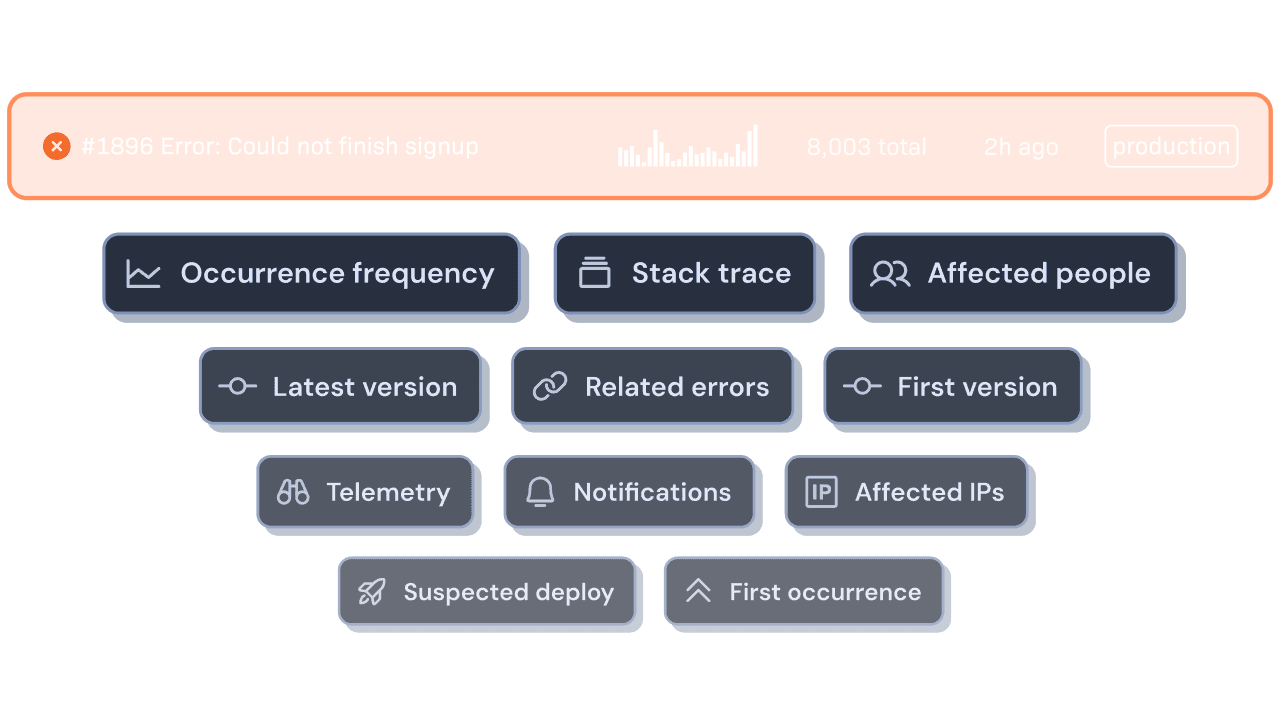
Main error monitoring features listed near a production error: Occurrence frequency, Stack trace, Affected people, Latest version, Related errors, First version, Telemetry, Notifications, Affected IPs, Suspected deploy, First occurrence.
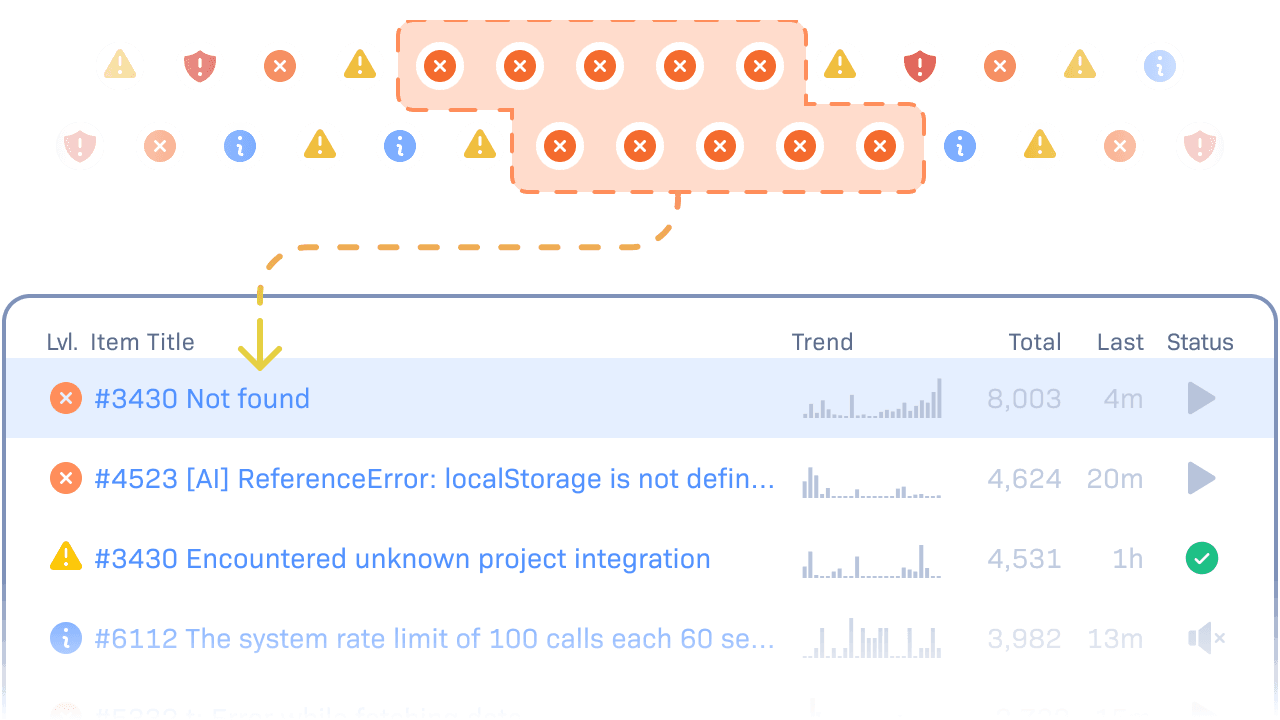
A stream of errors, with related errors grouped together, feeding into an error item on Rollbar's Item List.

Fewer duplicates, clearer patterns.

Unlike logs, Rollbar groups similar errors together based on stack traces and messages. You’ll know which issues are new, which ones are recurring, and what’s already resolved.

See exactly where it broke.

Every error shows the line of code that triggered it, the deploy it appeared in, and who last touched it. Rollbar connects runtime failures to the code and people behind them.
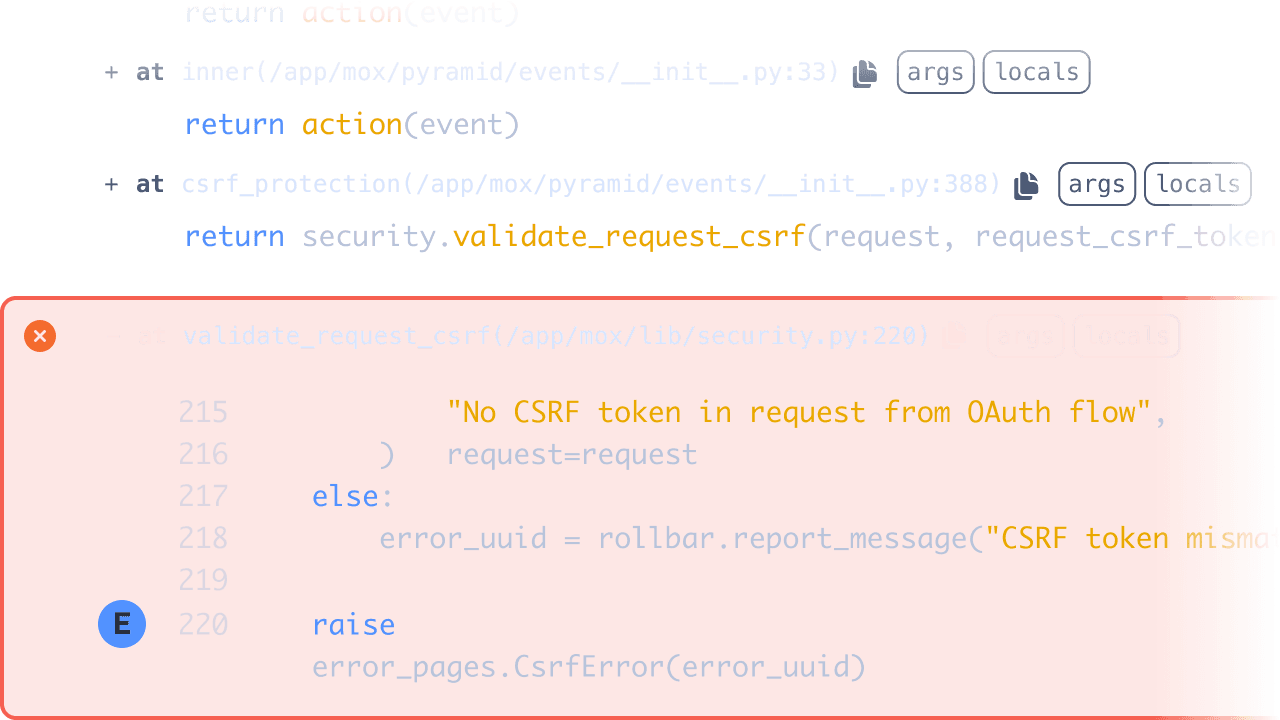
An example stack trace, with the part of code that triggered the error highlighted.
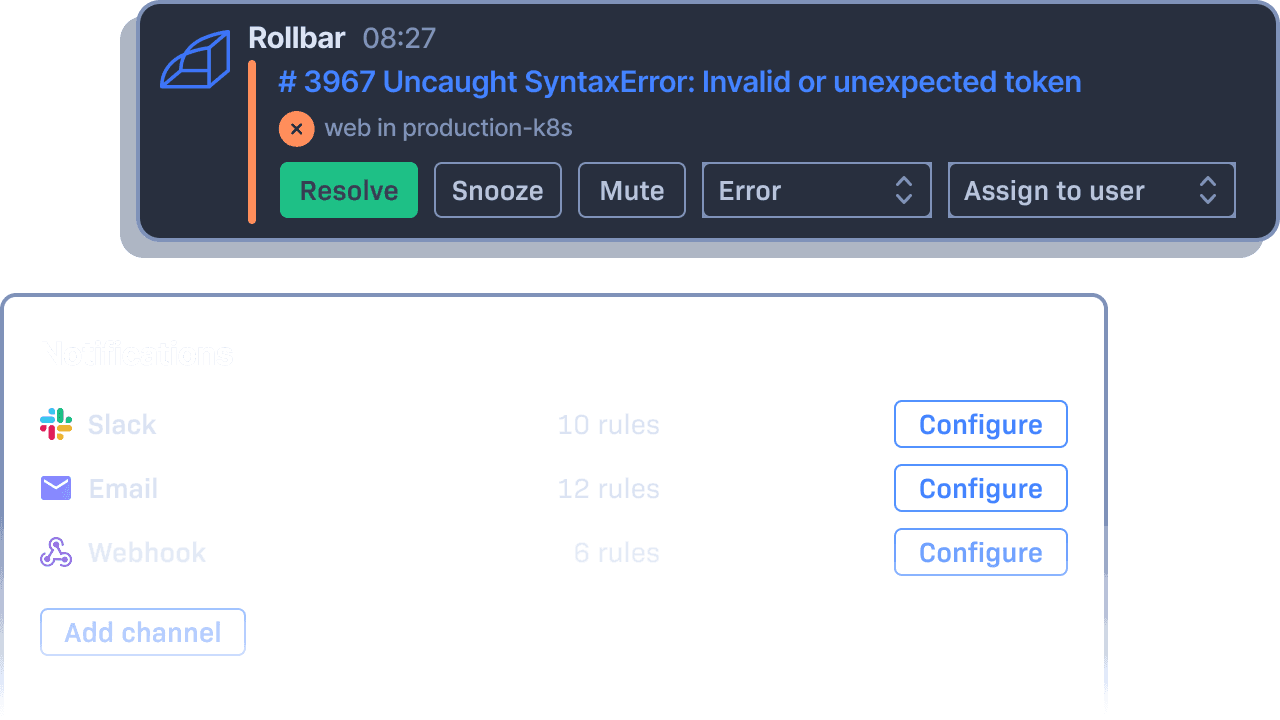
An example error notification in Slack, and related settings in Rollbar's UI.

Stay informed, not overwhelmed.

Rollbar gives you full control over how and when you’re notified. Choose which errors trigger alerts, where they go, and who sees them. Whether it’s Slack, Teams, email, or a custom webhook, you’ll stay focused on what matters without getting interrupted by noise.

Visualize when and where errors are happening.

See how errors trend across time, users, and systems. With context graphs, you can spot emerging problems early, understand who’s affected, and decide what to prioritize next.
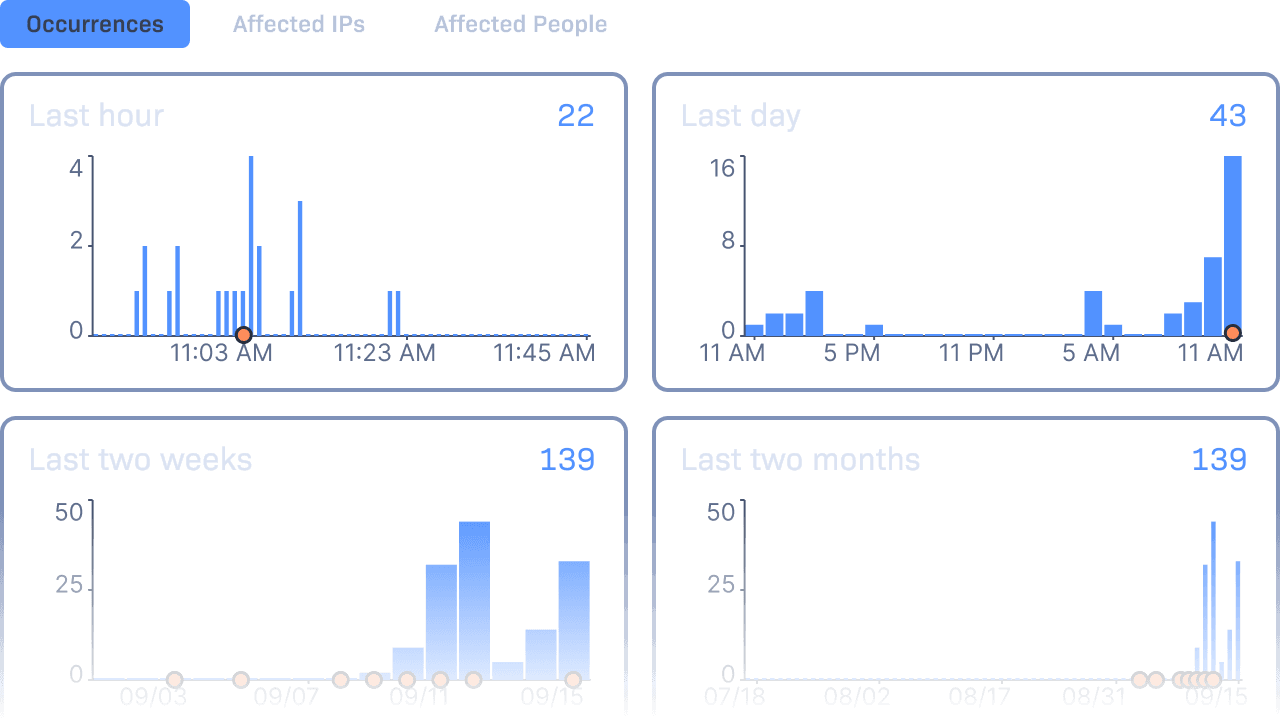
A part of Rollbar's Item Detail screen UI, visualizing error occurrences over time.

See what your logs can’t tell you.

Work where you already are.

Logos of Slack, PagerDuty, and email, as examples of supported notification channels.

Know before your users do.

Get notified the moment something breaks using Slack, PagerDuty, or email. Rollbar delivers real-time alerts, helping your team respond quickly to minimize the impact.

Logos of GitHub, GitLab, and Bitbucket, as examples of supported development platform integrations.

Collaborate with context.

Link Rollbar to GitHub, GitLab, or Bitbucket to see the commit, deploy, and developer behind each error. With GitBlame and version history, your team can understand ownership and take action with clarity.

Logos of Jira, Asana, and Trello, as examples of supported tracking tool integrations.

Turn errors into action.

Automatically create and assign issues in Jira, Asana, Trello, or other project tracking tools. Keep your backlog focused and your team aligned without needing to switch between systems.

Logos of Rest API and webhooks, as examples of custom integration methods.

Build your connection.

Use webhooks or the Rollbar API to connect with any internal tools. Customize how alerts are routed and ensure your error data fits into your team’s preferred workflow.

Reliable, fast, and built for growth.

Whether you’re sending thousands of errors or millions, Rollbar handles it without delay. Our infrastructure is designed for speed, reliability, and data integrity at scale.

<3 sec

<3 sec

from occurrence to alert

2B+ errors

2B+ errors

processed each month

99.9% uptime

99.9% uptime

across environments

SOC2 & ISO27001

SOC2 & ISO27001

certified

Monitor what matters. Move with confidence.

Rollbar helps you catch and resolve errors faster so your team can keep building.

  • 5K occurrences + 1K replays free per month

  • 14-day full access trial

  • Easy and quick installation

Plans starting at $0. Get a 14-day free trial to see how Rollbar fits your workflow.